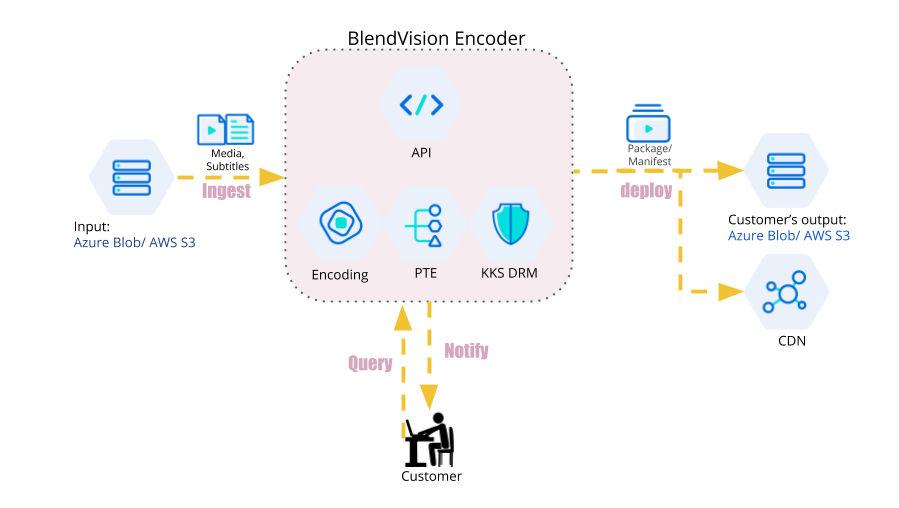
BlendVision Encoder API focuses on helping you with system integration to deal with encoding job automation.
You are able to create encoding jobs by using the cloud files from your owned cloud storage. Below is a simple introduction of BlendVision Encoder video encoding workflow:
- Upload your files. BlendVision Encoder currently supports AWS S3 as input cloud storage.
- For each of a CreateJob request, you need to specify an Input model with a granted access key
- API server will copy the target source files (video, or subtitle) to BlendVision Encoder encoding server.
- An encoding Job will begin its encoding journey, from inspection, and transcoding, to DRM encryption (Optional).
- After the encoding job is finished, the encoding final production will be deployed to the output storage you assigned. Furthermore, to be deployed to the CDN if the encoding job is associated with a Streaming Project.